
















The Ultimate High School Desk Setup: Balancing Homework & Gaming

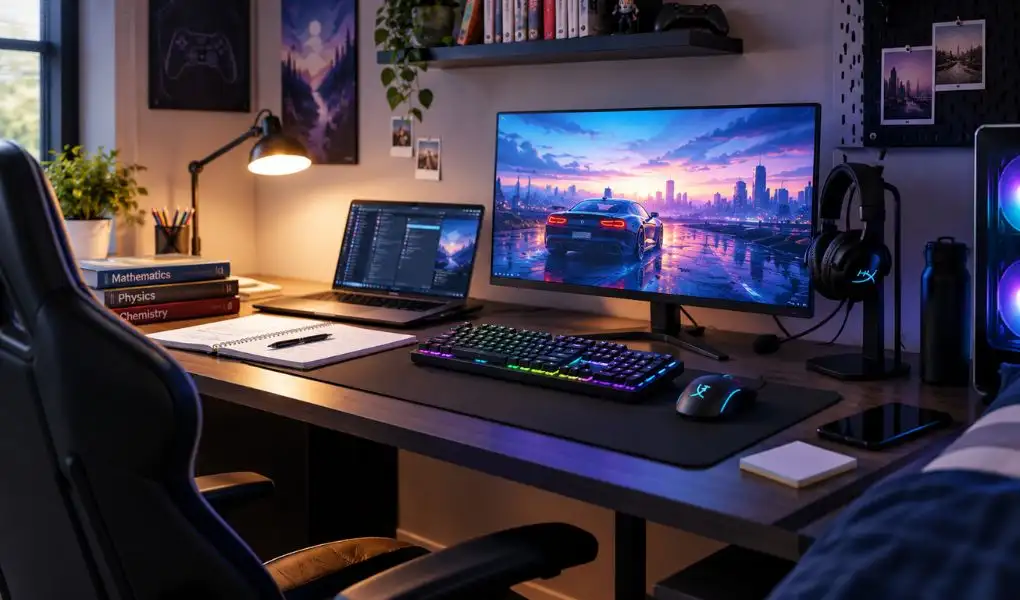
Somewhere between a chemistry assignment due at midnight and a ranked match that "just needs one more round," most high schoolers end up working from the same six square feet of desk space. That corner does double duty as a study station and a gaming setup, and honestly, it rarely gets built with both jobs in mind. Parents buy a desk for homework. Students turn it into a gaming setup anyway. The two eventually collide, usually around exam season.
A desk setup built to handle both doesn't need to be a compromise. It needs the right pieces, arranged with intent, so a student can close a textbook and open a game without dragging cables across the room or squinting at a screen that was never meant for either task. Here's how to actually build one. And since every piece of this setup, from the chair to the last stretch of cable, lives under one roof at T4G Store, building it doesn't mean hopping between five different websites to get it right, especially with fast delivery across Kuwait.
Why a Dual-Purpose Setup Beats Two Separate Ones
Most homes just don't have the square footage for a separate study desk and gaming desk for students, and even if they did, a student would end up using one and ignoring the other within a month. One setup that does both jobs means less time shuffling between rooms and, honestly, a much better shot at sitting properly for long stretches. It also stretches the budget further. A chair that holds up, a monitor that's actually sharp, a desk wired without ten cables hanging off the edge, that combination just lasts longer than anything grabbed last-minute before term starts. What it comes down to is finding gear that can sit through a slow, grinding homework session one hour and switch to split-second reflexes the next.
Start With the Foundation: Desk and Chair
Skip the foundation and nothing else on this list really matters. A wobbly desk, or worse, a dining chair dragged in as a stand-in, will drag down even a great monitor. Bad posture kills concentration long before eye strain does. Go for a desk with room for a monitor, a laptop, and actual space to write on, not one barely big enough for a keyboard and mouse. Cable channels seem like a throwaway feature right up until you've lived without one. A gaming desk that keeps the wiring out of sight just makes the whole corner feel less chaotic. Pair it with a chair built to hold up through hours of sitting, not just a weekend gaming binge. Lumbar support and armrest height matter during a three-hour homework stretch the same way they matter mid-raid. Cheap chairs built only for short gaming sessions tend to sag fast under daily use, so this is one area worth stretching the budget on.
The Screen Does Double Duty, Choose Accordingly
Monitors built purely for competitive gaming often trade away color accuracy for speed, and that makes long reading sessions harder on the eyes than they need to be. Flip it around and a monitor built for productivity work usually can't keep pace with a fast-moving game. There's a middle ground, and it's not hard to find once you know what to look for.
T4G's monitor shelf, available with fast delivery across Kuwait, runs from affordable full HD screens up to QHD and 4K panels, and several of them come with blue-light or eye-comfort modes already switched on out of the box. That's not a gimmick either, not when a gaming monitor screen has been running for six or seven hours in one sitting. A 24 to 27-inch panel running at 100Hz or above handles a research tab and a fast match equally well.
Audio: For Online Classes, Group Calls, and Late-Night Matches
Between online classes, group project calls, and squad voice chat, a headset ends up doing more heavy lifting in a student's day than most people realize. One with a clear mic and padding that doesn't dig in after two hours covers both jobs without needing a second pair of headphones lying around. At the very least, look for something with decent passive noise isolation.
Input Devices That Work for Essays and Esports
A keyboard and mouse pulled straight out of a school supply drawer will survive typing an essay but won't hold up to a fast-paced shooter, and the reverse is just as true. A mechanical wireless keyboard with a quieter switch type handles both typing-heavy homework and responsive in-game inputs, without turning every essay into a percussion session late at night when the rest of the house is asleep.
The same logic applies to the gaming mouse. The mouse matters more than students give it credit for. A lightweight one with adjustable sensitivity holds up through hours of scrolling and still reacts fast enough for a quick in-game flick. It's also one of the cheapest things on this list, and probably the one upgrade you'll notice on day one.
The Details That Make It Feel Like a Real Setup
This is the part that turns a desk with a computer on it into somewhere a student actually wants to sit. That RGB strip behind the monitor isn't just there for the stream overlay. It softens the contrast between a lit-up screen and a dark room, and that's the kind of thing that quietly saves your eyes whether it's an essay at 9 or a match at 11. Dial the brightness and color down to a calm white for homework, then bump it up for whatever mood a Friday night calls for. It's the kind of small addition that, once you've picked it up from T4G's gaming accessories in Kuwait, ends up getting used every single day, homework or not.
Power reliability is the unglamorous piece nobody thinks about until a save file or an unsaved document disappears mid-session. A compact power station or backup unit keeps a desk setup running through short outages, and properly managed cabling keeps the whole area safer and easier to clean around, a small thing that saves a lot of frustration during exam week.
Top 5 Picks From T4G's Study-Meets-Gaming Collection
A quick shortlist for anyone building this setup from scratch in Kuwait, ranked by how much difference each one makes to daily comfort and focus.
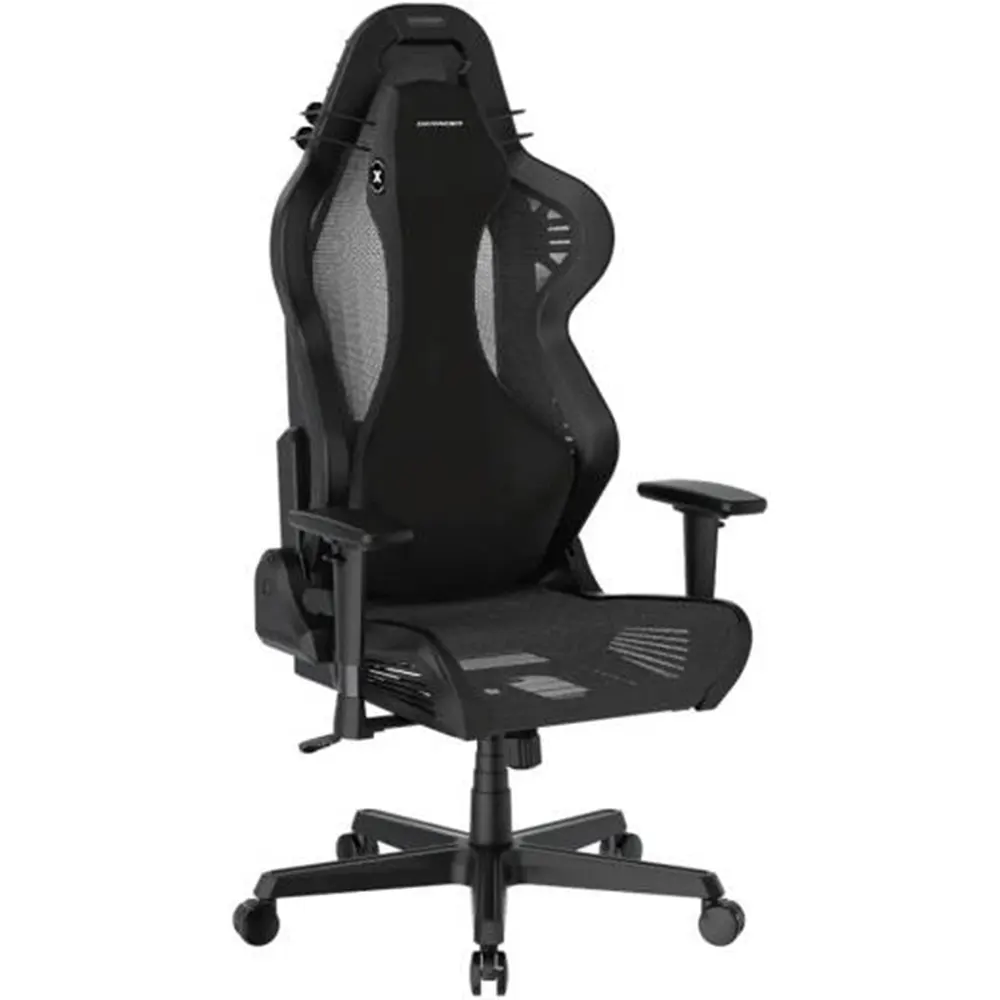
Start with the seat. The DXRacer AIR Series gaming chair uses a breathable design instead of the usual leatherette, which matters more than it sounds like during a long revision session in warmer months.
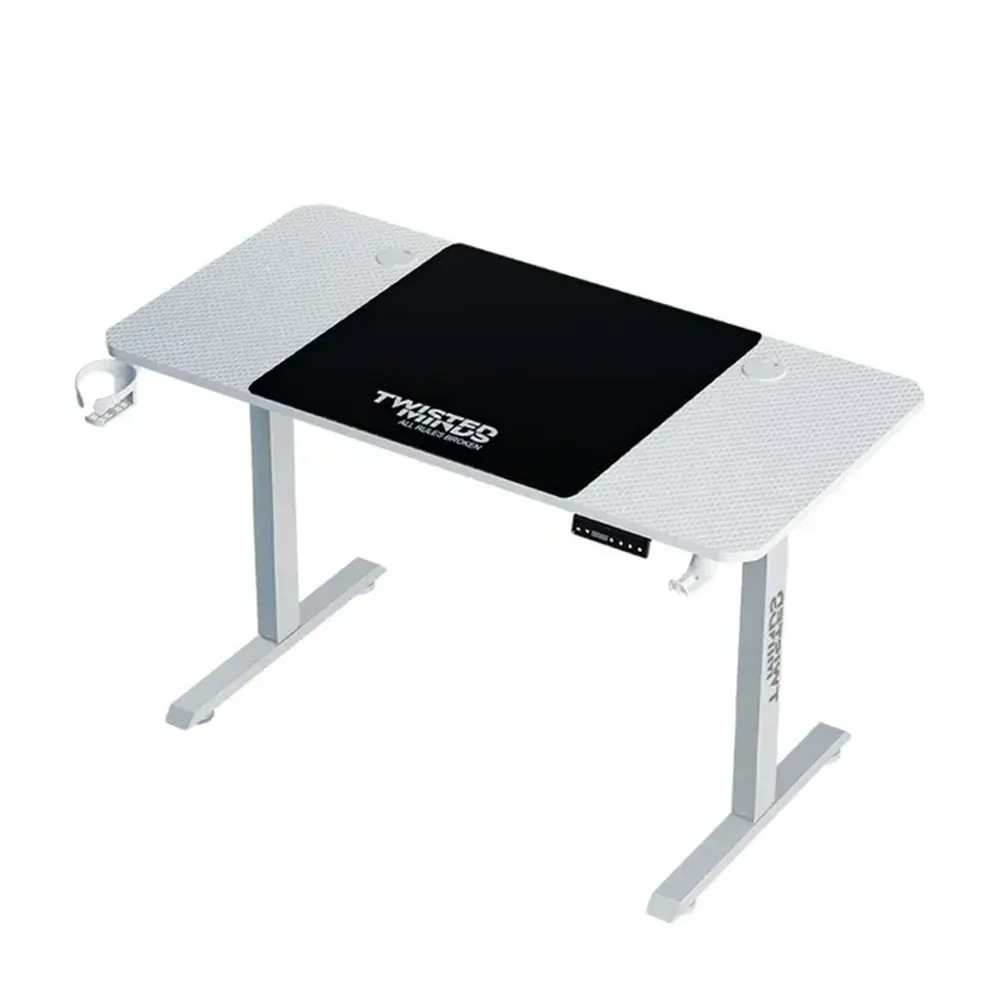
For the desk, the Twisted Minds Paradox Adjustable gaming desk comes with a headphone hook and built-in mousepad already worked into the surface, so there's less clutter to manage once books and a laptop show up on it too.
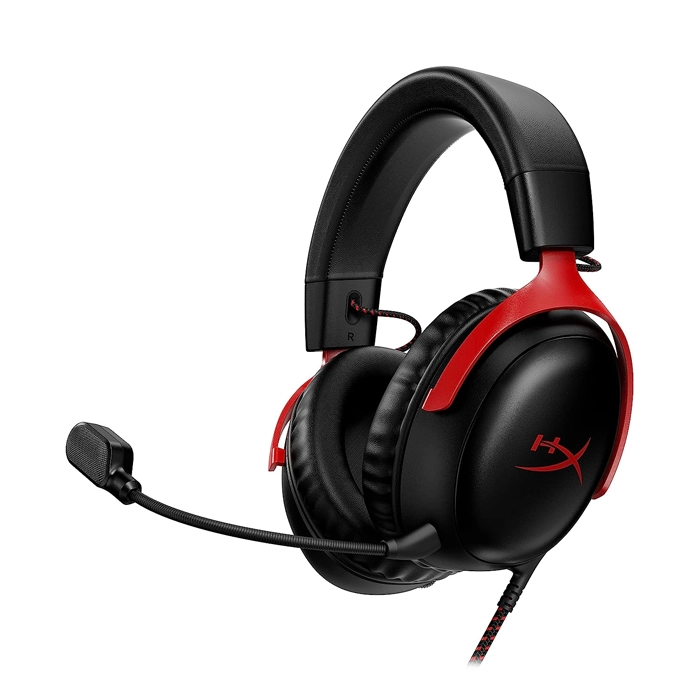
The HyperX Cloud III gaming headset covers a full school day of online classes comfortably and still holds up on clarity when it's picking up footsteps in a match later that evening.
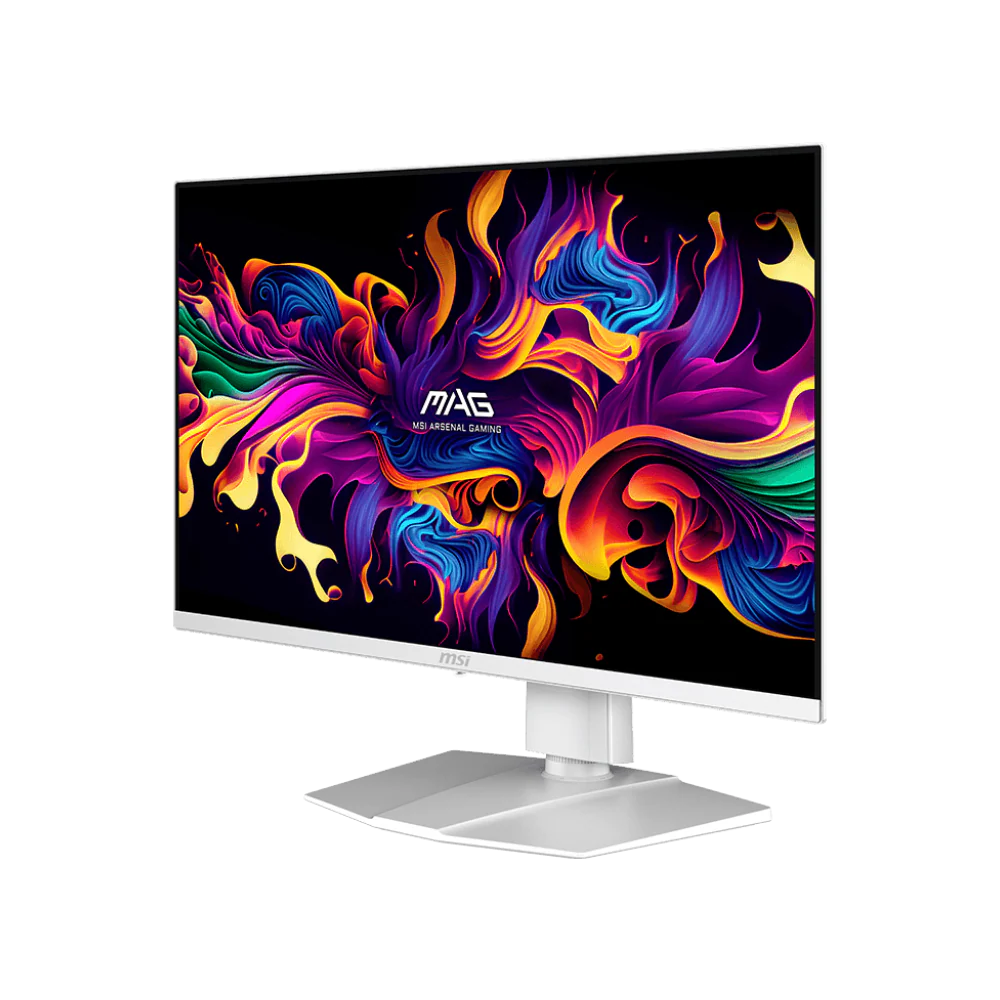
The screen carries a lot of the weight in this setup. T4G's MSI MAG 272QPW X28 QD-OLED gaming monitor runs at 280Hz, which is overkill for homework but genuinely useful for gaming, and the panel's colour accuracy holds up just as well for reading and research.
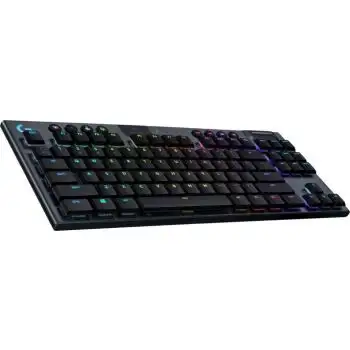
Typing all day calls for a keyboard that won't wear out. The Logitech G915 TKL Lightspeed wireless mechanical keyboard skips the cable entirely, and its low-profile switches are quieter than most mechanical boards, a small detail that matters at midnight.
Making the Balance Actually Work
Good hardware only solves half the problem. The other half is habit. A few things that make the switch between homework and gaming smoother:
- Keep a visible boundary between "study mode" and "game mode." Something as simple as changing the RGB lighting colour when switching tasks creates a mental cue that helps with focus.
- Use a second display or a tablet stand for reference material. Splitting research from the main screen means fewer alt-tabs out of focus mode.
- Keep the desk's homework zone physically separate from the gaming controller or gaming mouse. Out of arm's reach genuinely reduces the temptation to peek mid-assignment.
- Set a timer, not a vibe. "I'll stop after this game" rarely works. A visible countdown does.
- Invest in comfort where it counts. A good chair and proper lighting reduce fatigue, which is often the real reason focus breaks down by 9 PM.
Key Takeaways
- Build one setup that handles both homework and gaming well, rather than half-doing two separate ones.
- Get the desk and chair right first. Everything else depends on posture and stability holding up.
- A mid-range monitor with a fast refresh rate and eye-comfort features beats a screen built for only one use case.
- Little things like ambient lighting, backup power, and tidy cabling add up to more daily comfort than they get credit for.
- Habits matter as much as hardware. Visible cues and timers help students actually switch between homework mode and gaming mode.
Browse the full Gaming Chairs & Desks and PC & Accessories collection at T4G Store, Kuwait's one-stop shop for gaming gear and the latest technology, to start building a gaming setup that keeps up with both report cards and winning streaks.
FAQs
Depends on how many hours a day it's getting used. If it's an hour of homework and a bit of gaming here and there, a regular chair holds up fine. Once you're looking at four or five hours a day between school work and gaming, the lumbar support and adjustability in a proper gaming chair start paying off, mostly in the form of fewer aches by the end of the week.
100Hz is the point where things start feeling noticeably smoother, and most mid-range monitors clear that easily now. Anything above 144Hz is really for competitive, fast-paced games. For a setup that's splitting time between essays and matches, 100 to 165Hz covers almost everything without paying extra for specs that mostly matter to esports players.
A regular keyboard will get an essay written and survive casual gaming without issue. A mechanical one with quieter switches becomes worth it once typing happens late at night in a shared room, or once fast, precise inputs start mattering in competitive games. It's a nice-to-have rather than a must-have for most students.
For most students, wired is the simpler and cheaper route, since there's no battery to charge before an exam or a match. Wireless is worth the extra cost mainly for a cleaner-looking desk or if cable clutter around the setup is a genuine daily annoyance.
It matters more than most people assume. Sitting too low forces the shoulders up toward the keyboard, and sitting too high puts strain on the wrists during long typing sessions. The general rule is elbows at roughly a 90-degree angle when typing, with feet flat on the floor. Since most students are still growing, it's worth rechecking this every few months rather than setting it once and forgetting about it.


